Key Features
Error & Performance ManagementThreshold Settings Based on KPI
- Ability to configure KPI-based thresholds for monitoring items
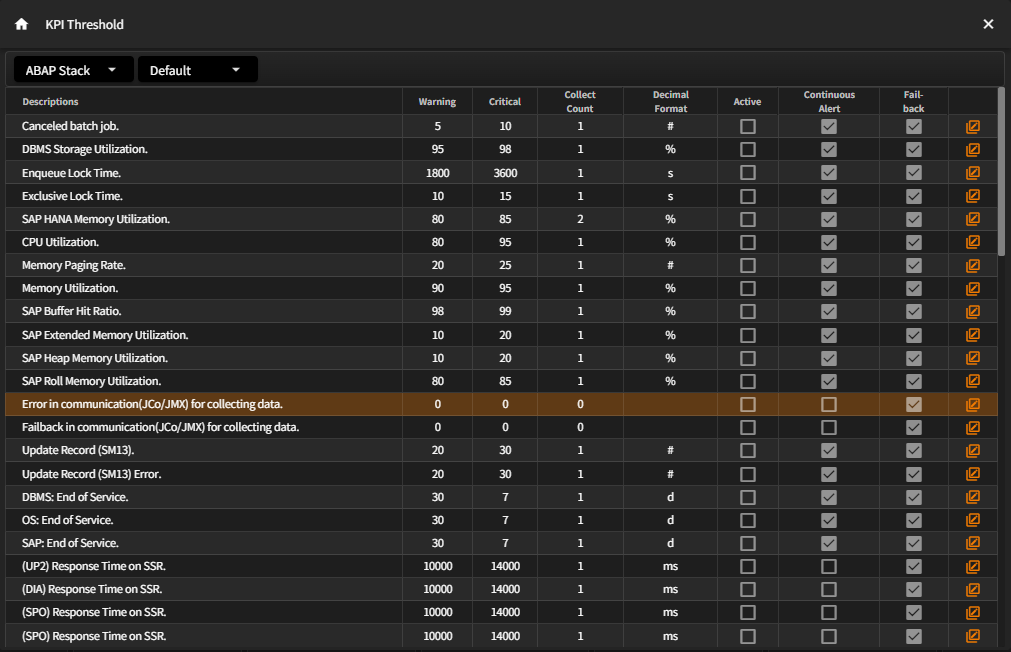
- Supports threshold configuration for monitoring items based on performance KPIs
- Enables severity level settings such as Warning and Critical
- Allows enabling/disabling of KPI alerts per item
- Alerts can be triggered only when threshold conditions persist for a defined count, helping avoid false alerts from short-term performance spikes
- Real-time alerts are sent to designated users via various channels (e.g., email, SMS) upon occurrence.
- Users can configure their own alert reception preferences for error events.
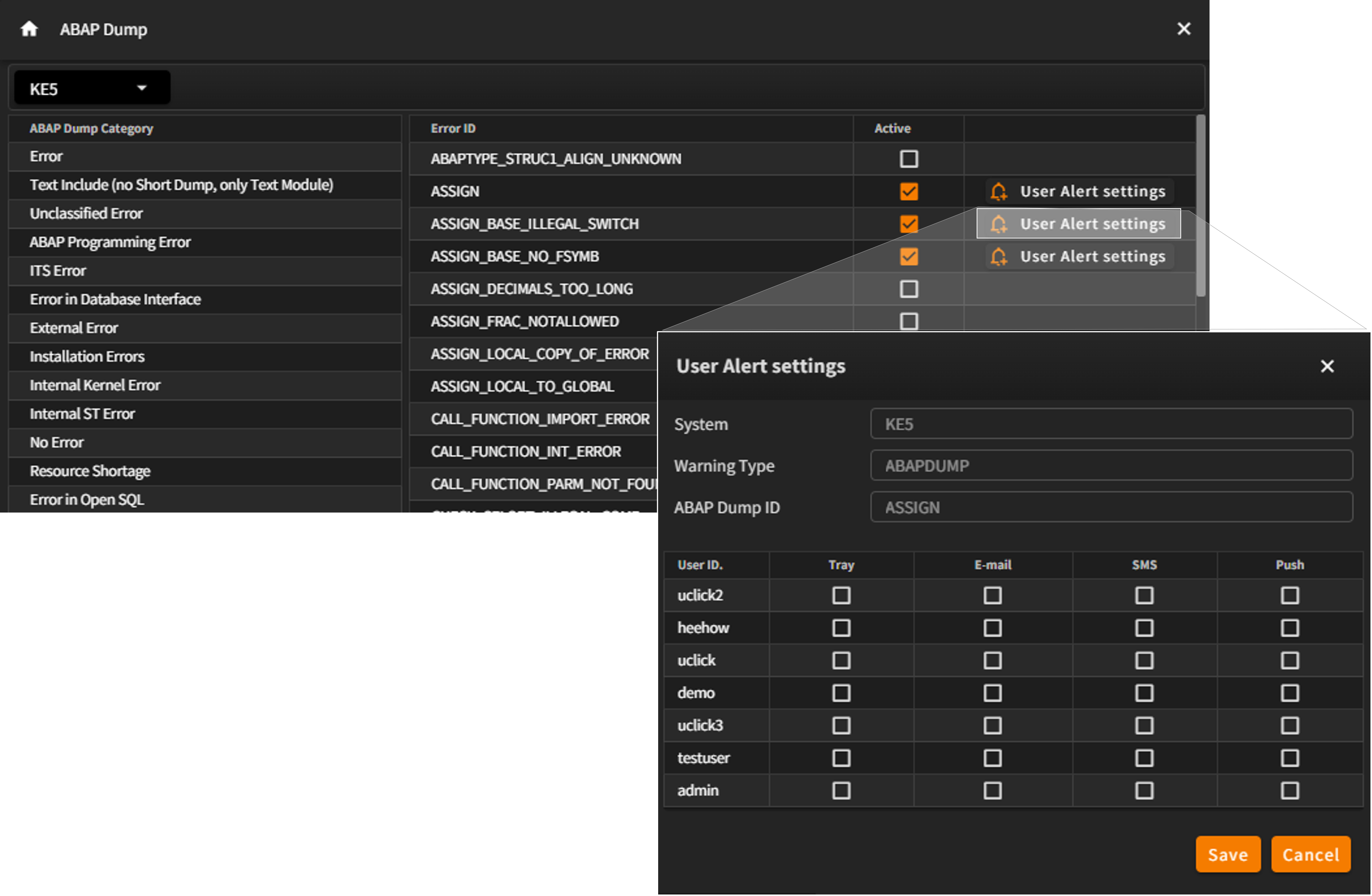
- Alert notifications can be delivered via notification tray, email, or SMS.
- Notification methods can be configured per alert item—for example, critical alerts via SMS and lower-priority alerts via email.
- Notification preferences can also be customized per user.
- Ability to deliver detailed data of associated metrics at the exact moment the alert was triggered(Alert Center & Context Analyzer)
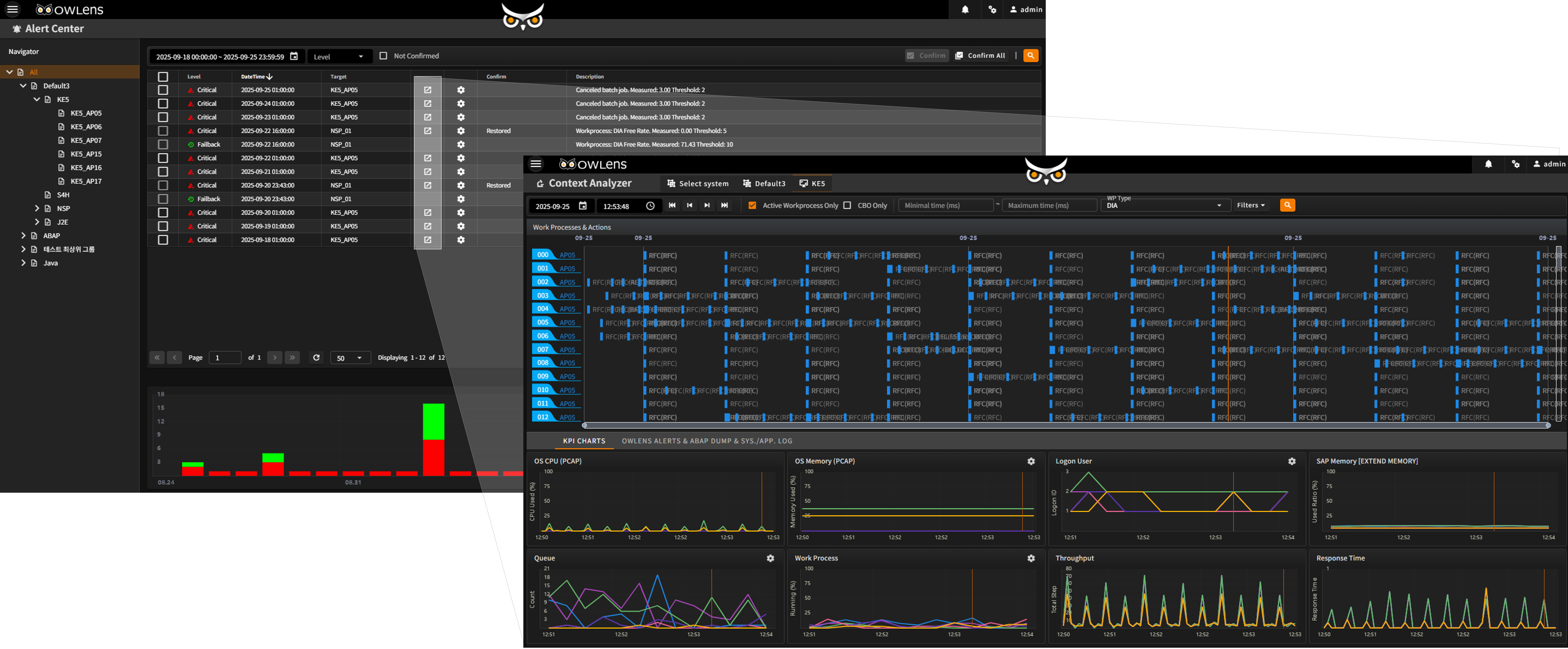
Context Analyzer – Root Cause Analysis
- Performs situational awareness analysis to identify and trace the root cause of issues.
- Provides in-depth diagnostics by linking alerts to relevant system metrics.
- Provides the following capabilities:
-
- Trend analysis of alerts by severity
- Search by metrics
- Diagnose system environment when alerts are triggered (e.g. response time, transaction context)
- Extends to Context Analysis
- ABAP Dump Real-time Monitoring
- Allows configuration of dump types to be monitored and user-specific alert preferences.
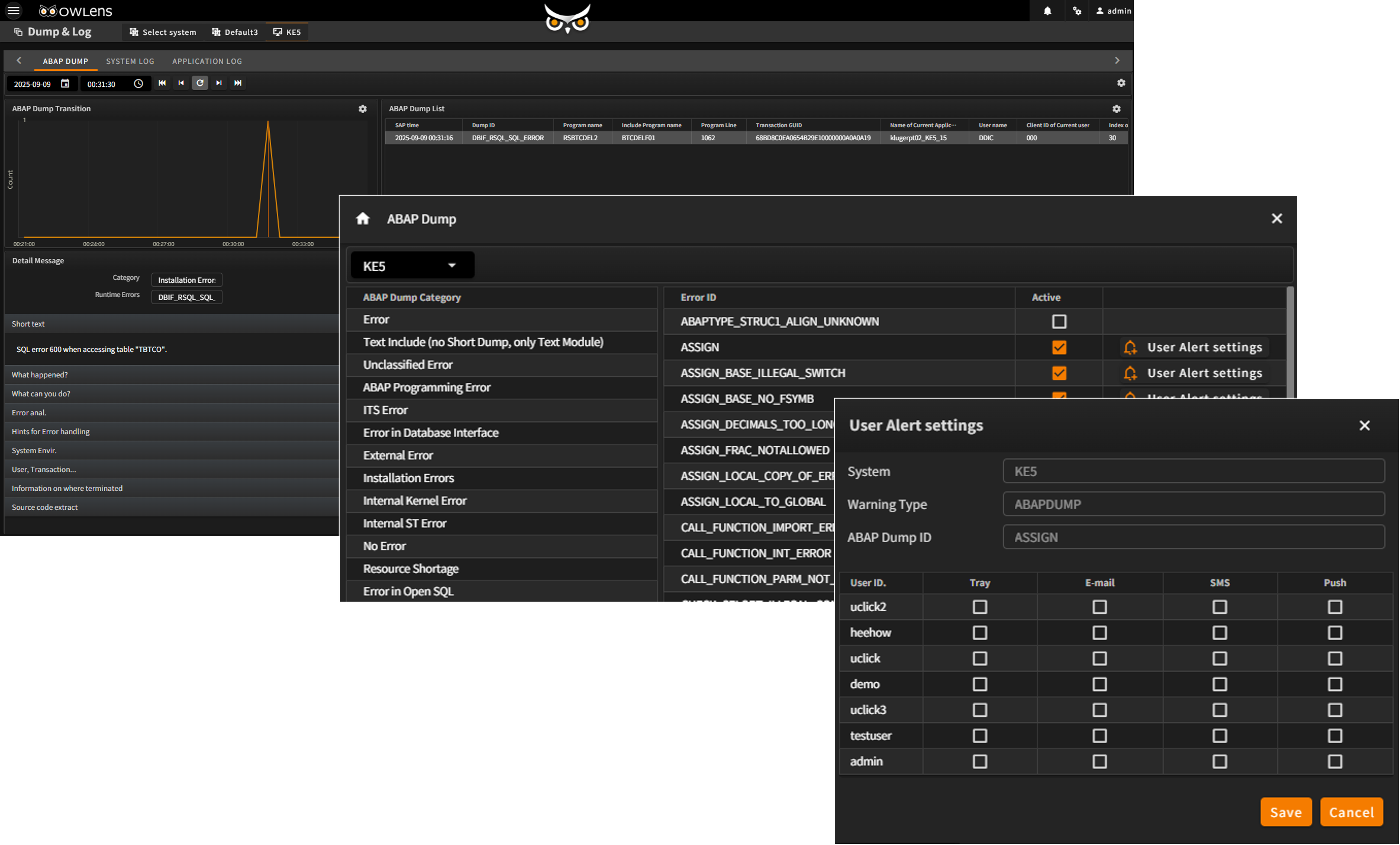
- Displays real-time trend graphs of ABAP dump occurrences and provides detailed analysis of dump contents.
- Provides configurable notification options (Email, SMS) for ABAP dump events
- Offers focused monitoring for specific events or KPIs
- Monitors and alerts on abnormal execution of background/batch jobs
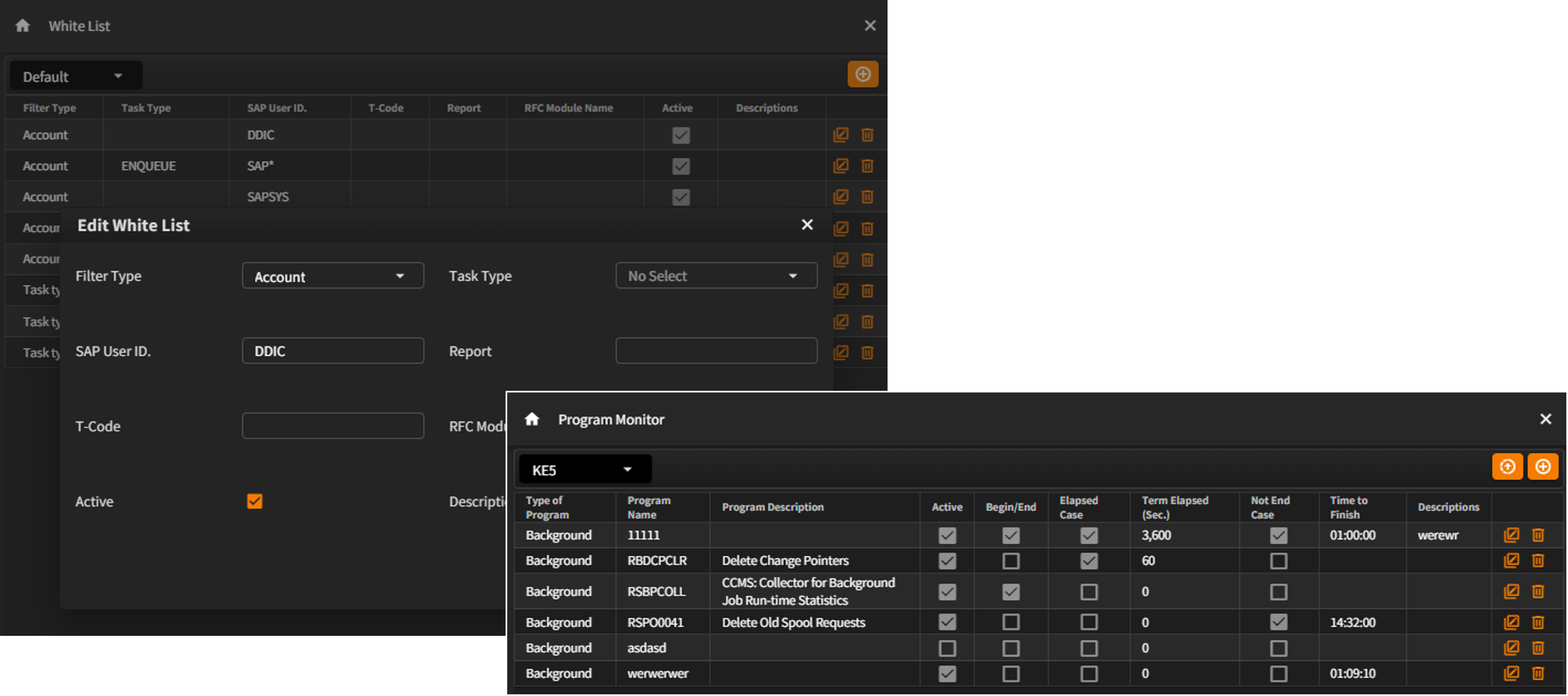
- Provides Whitelist registration for handling exceptions to specific KPI events
- Supports filtering by Task Type, Account, Report, T-code, and RFM module
- Enables real-time monitoring of program behavior (start, end, longtime-not closing program) via the Program Monitor