Key Features
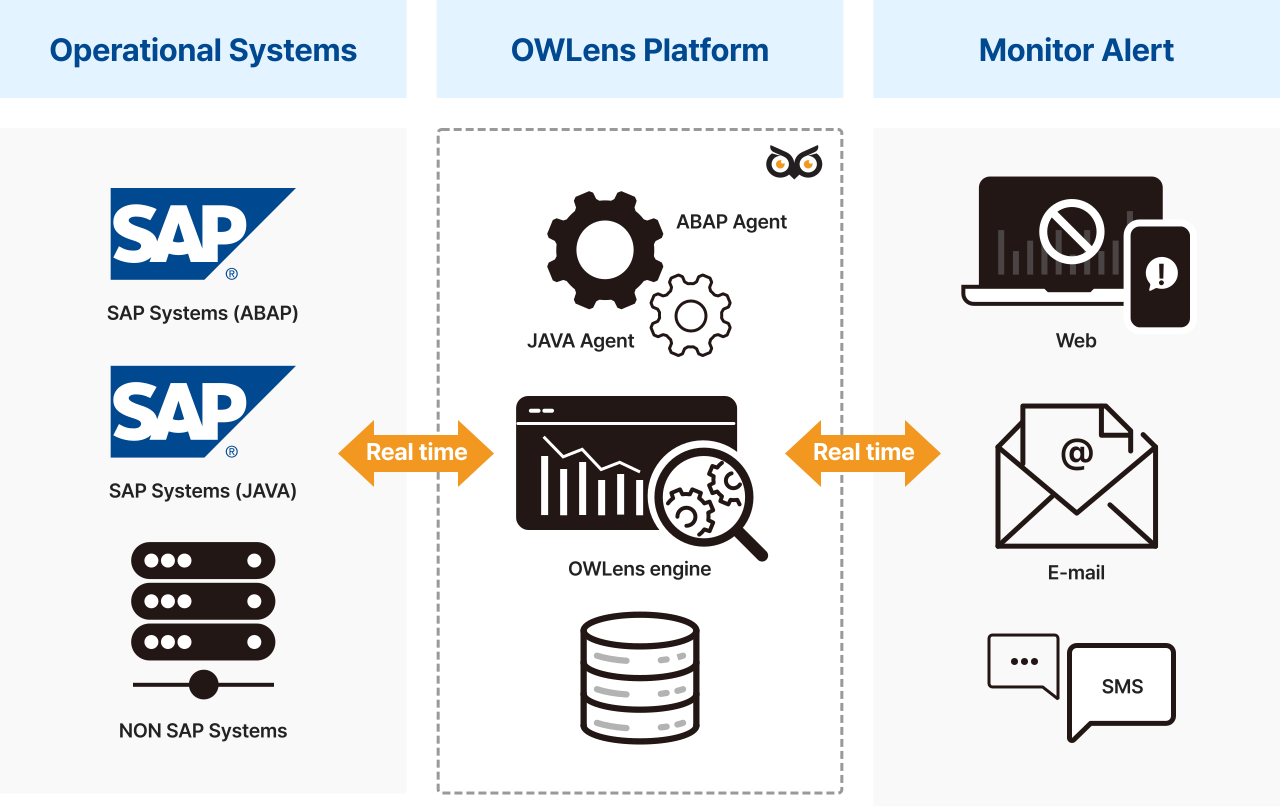
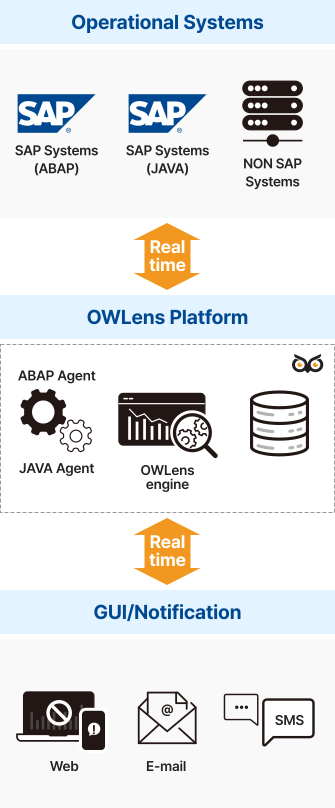
ArchitectureOverview
- Uses standard RFC/JMX protocols for performance monitoring
- Installs a Packet Capture Agent on each SAP instance targeted for monitoring
OWLens Server Requirements
| H/W (Minimum) | S/W | SAP Information |
|---|---|---|
|
|
|
OWLens Server Requirements
| H/W (Minimum) |
|
|---|---|
| S/W |
|
| SAP Information |
|
- Integrated monitoring of multiple SAP systems through a single unified console
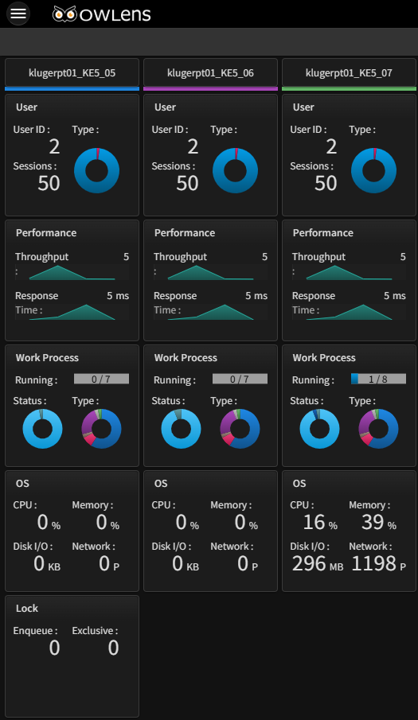
Real Time Overview I: System-Wide Status Dashboard
- Monitor all SAP systems in real time by system
- View metrics such as concurrent users, throughput, response time, CPU, and memory usage
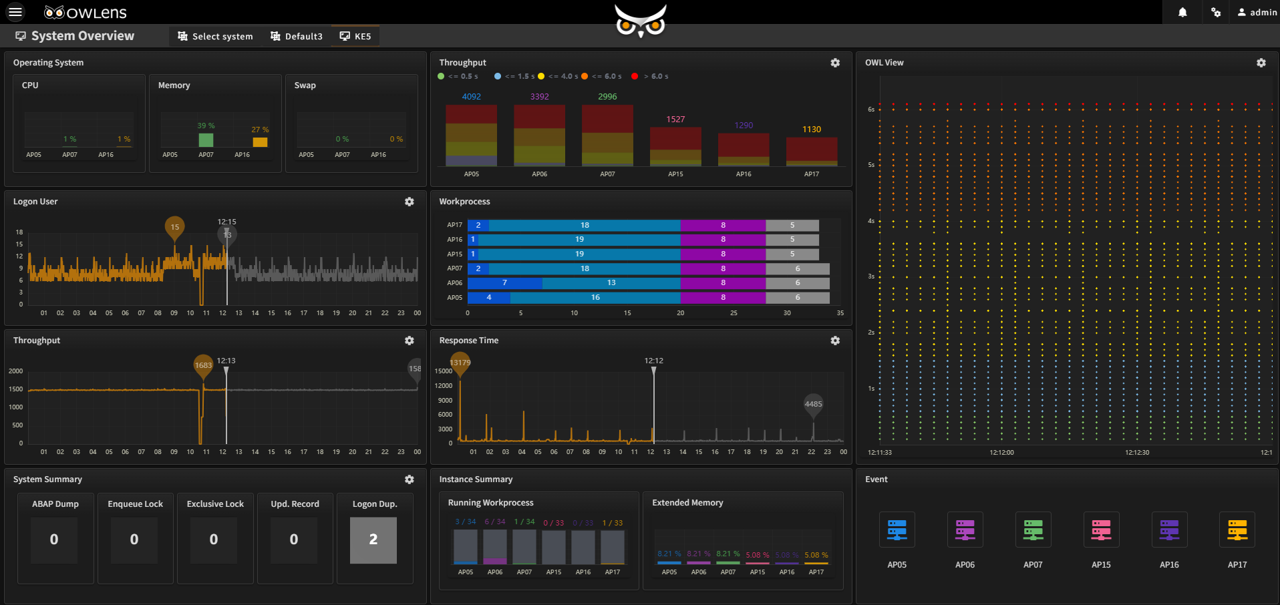
Real Time Overview II: Instance-Level Status Dashboard
- Monitor each instance of a specific SAP system in real time
- View metrics such as concurrent users, throughput, response time, CPU, and memory usage
- Work-process / Lock, Update Record / ABAP Dump
- OWLView
- Configuration of Monitoring Items
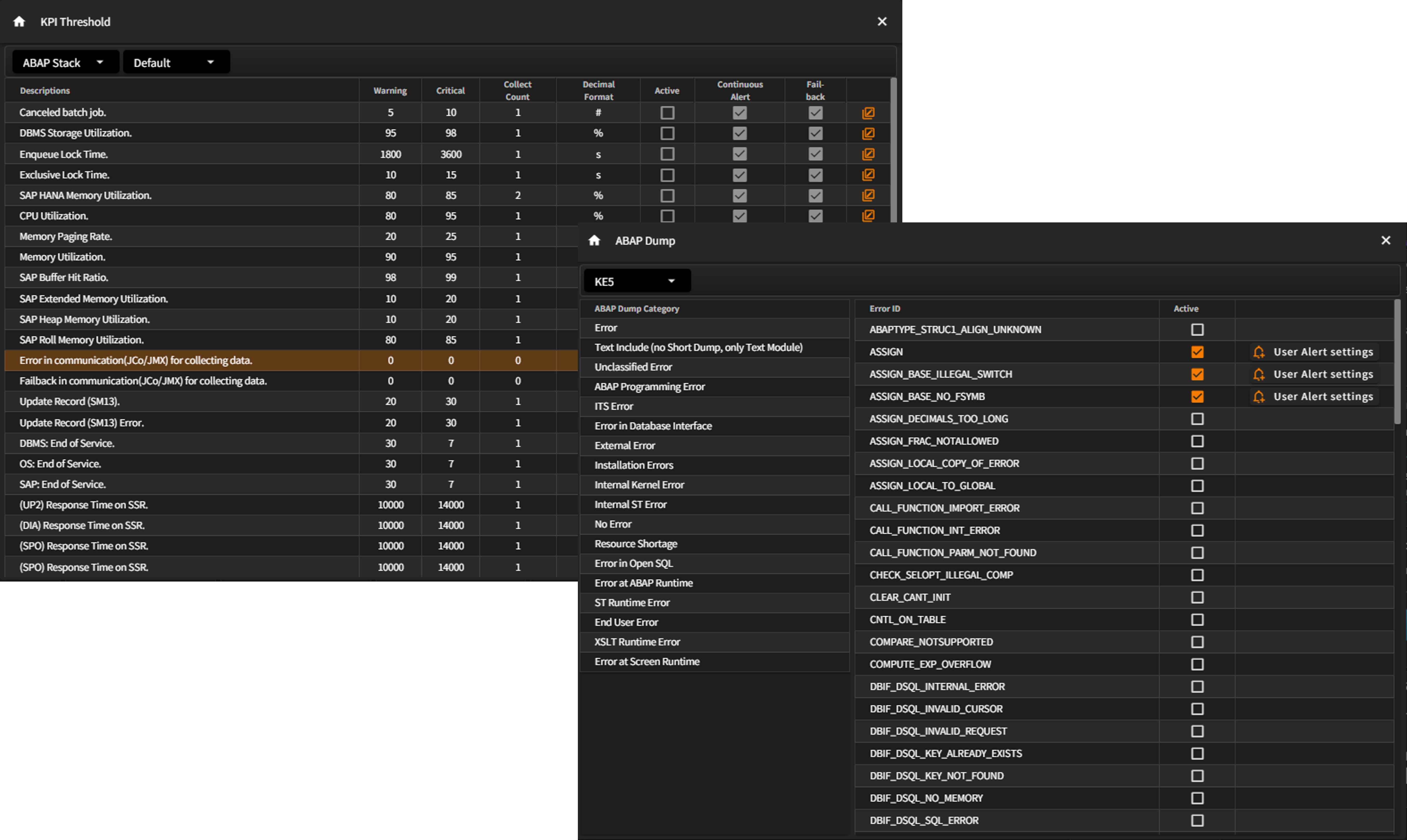
- Enable or disable monitoring individually per instance
- Configure monitoring items such as: User info and access logs / KPI-based alerts / SAP system metadata / ABAP dumps / Program monitors / SSR White List