Use Cases
User History
Q.
I want to check a specific user’s activity history (logins and detailed usage logs) over the past week.
A.
OWLens provides a User History feature that allows you to view and analyze the sequence of activities a user performed in the SAP system — including which system they logged on to, which reports (programs) or T-Codes they executed, the responses they received, and when they logged out.
The User History feature is accessible via:
Main Menu → Analytics/Statistics → Analysis → User History.
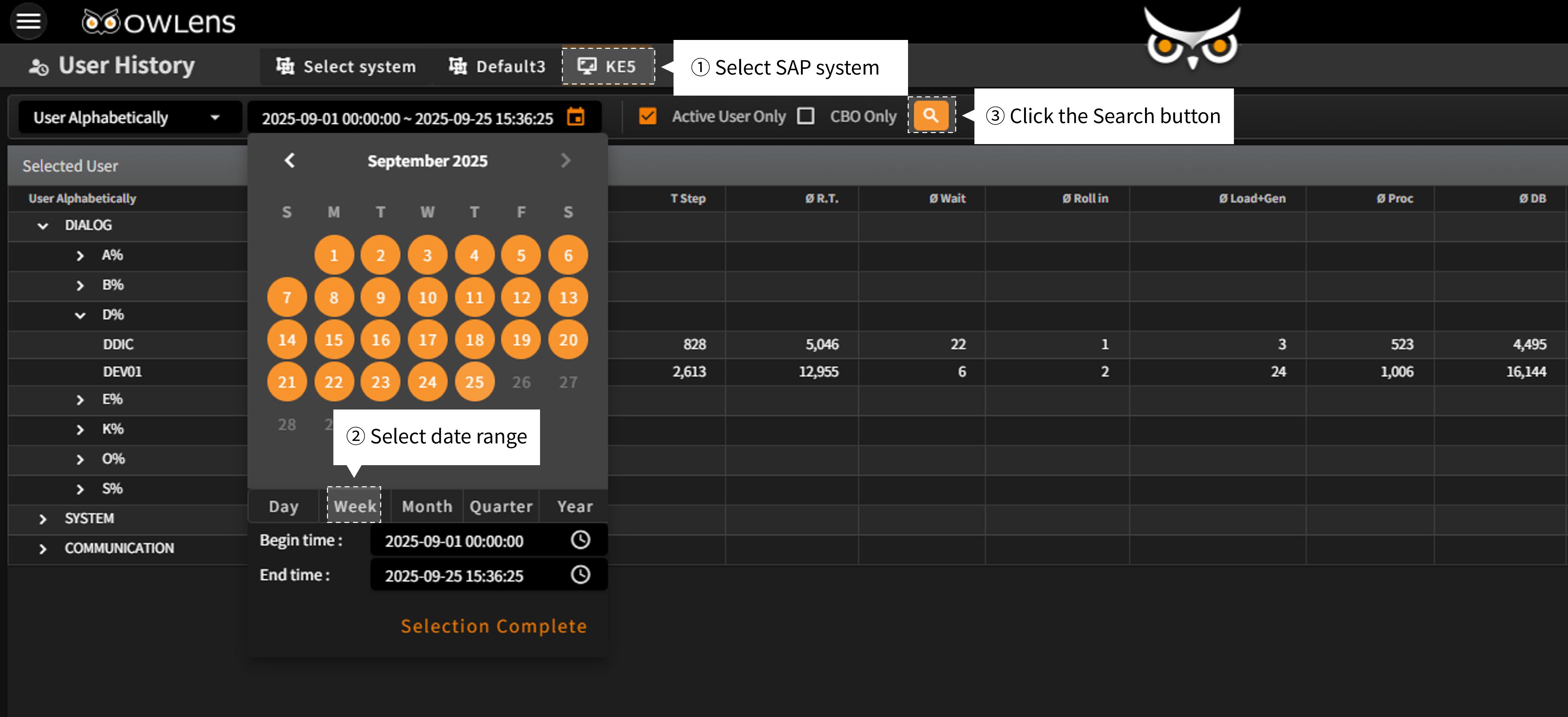
- On the User History screen, you can select the SAP system and time period for which you want to view user activity logs. Then, simply click the "Search" button to proceed.
- When the search is complete, a hierarchical list of users who were active during the selected period will be displayed. Selecting a specific user from the user group will show that user’s program execution count and average response time for the selected time range.
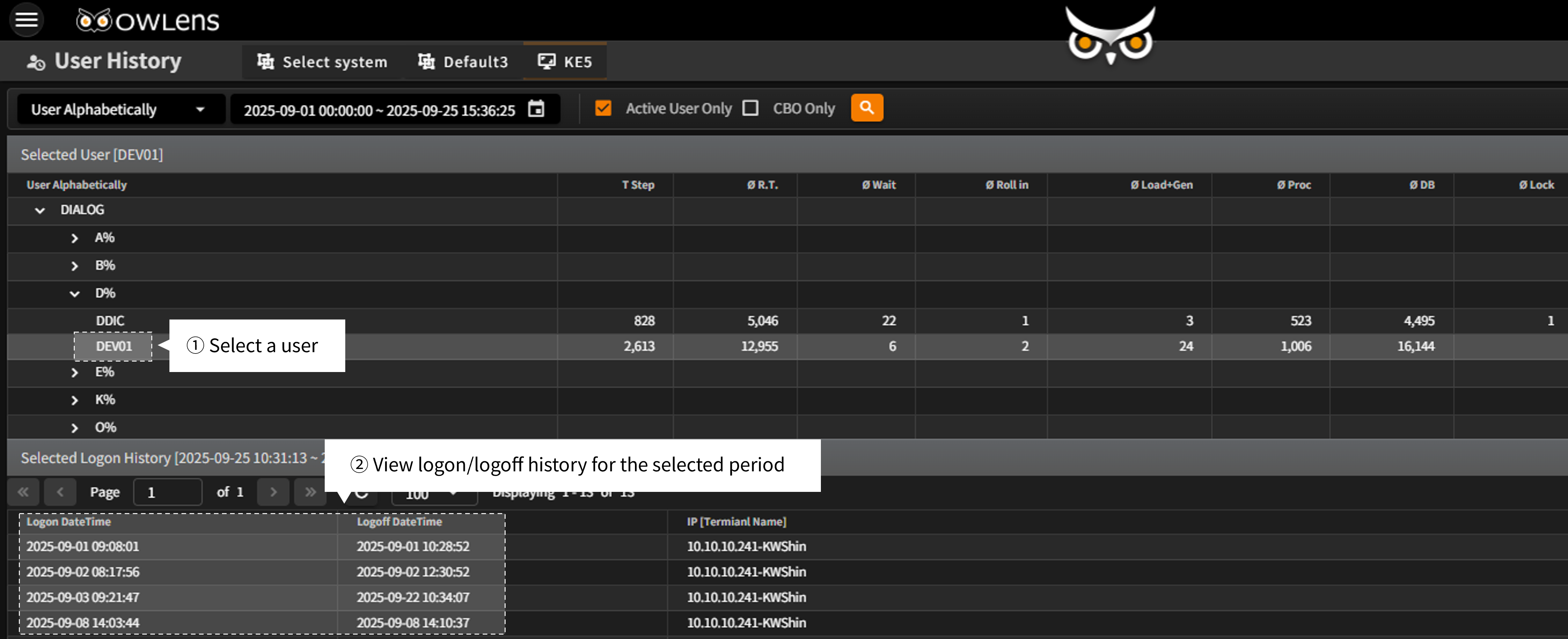
- From the User History list, you can select a user to view their logon/logoff records during the selected time range.
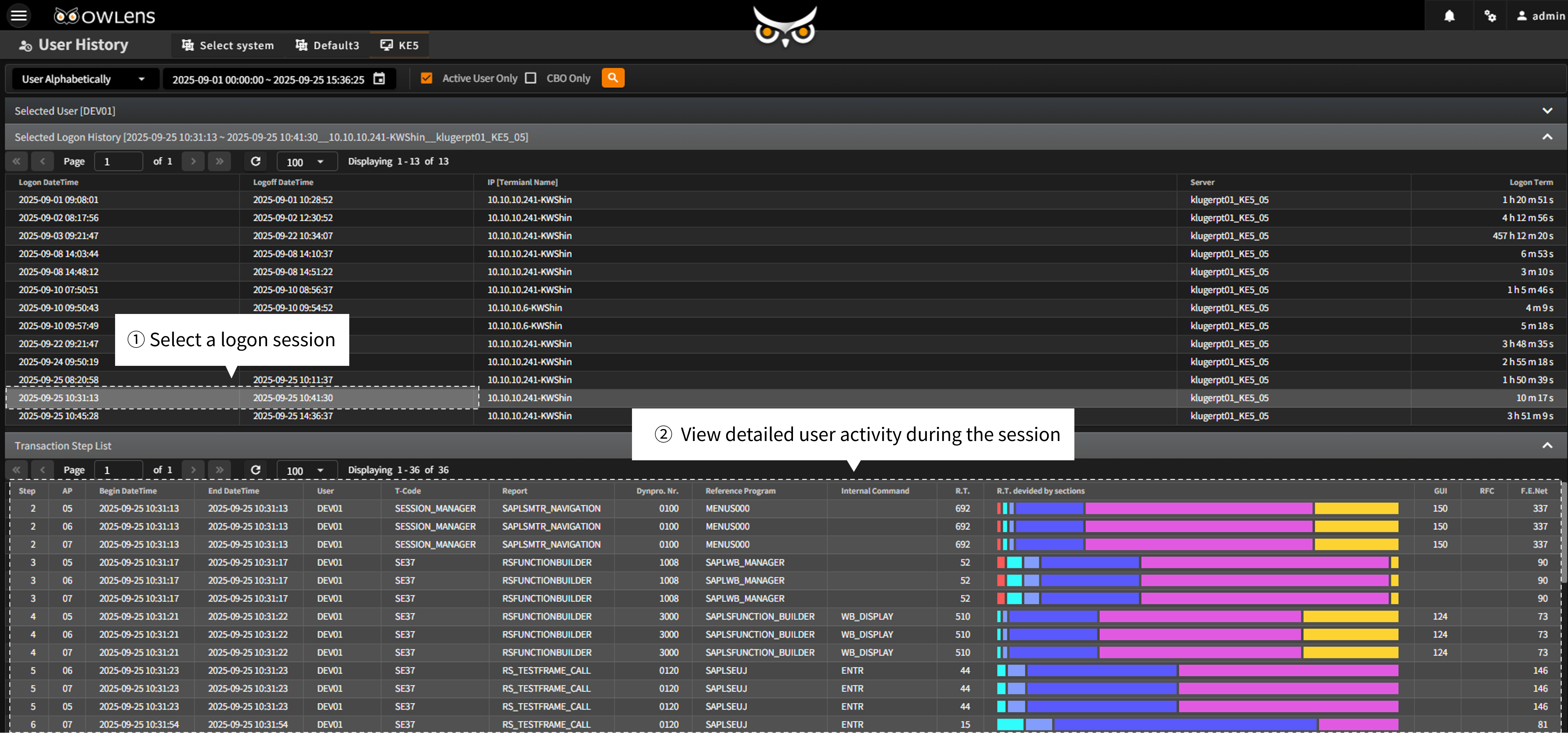
- By clicking on a specific logon session, you can drill down into detailed activity logs showing actions the user performed within that session, in chronological order.
- In the activity log, you can track: When and from which terminal the user accessed the SAP system, Which instance they connected to, Which report (program) or T-Code was executed, Which functions were performed, And what response times or results were experienced.
Customer Benefits
- Audit Support: Track and analyze all users’ system access and program execution history to support compliance and audit activities.
- System Optimization: Improve system performance by analyzing users’ actual experience and behavior within the SAP environment.
- Problem Resolution: Identify and resolve issues by tracking segment-based response times for specific users or terminals.