Use Cases
Program MonitorWe need to automate monitoring to ensure that critical batch jobs are completed by early morning.
In a typical SAP ERP environment, anywhere from dozens to tens of thousands of batch jobs (background jobs) are executed on a daily basis. Monitoring the execution status of these jobs is essential to ensure data consistency and process reliability.
OWLens provides a Program Monitor feature that automatically tracks:
Job start and end status, Execution duration, And whether the job was completed by a specific deadline.
The results are reported to users through various notification channels, enabling real-time awareness of job status and failures.
You can access the Program Monitor via:
Settings Menu → Alert → Program Monitor
- The Program Monitor screen provides a list of batch jobs registered for monitoring.
- You can register jobs either individually using the “Add” function, or in bulk using the “Upload” feature with an Excel file.
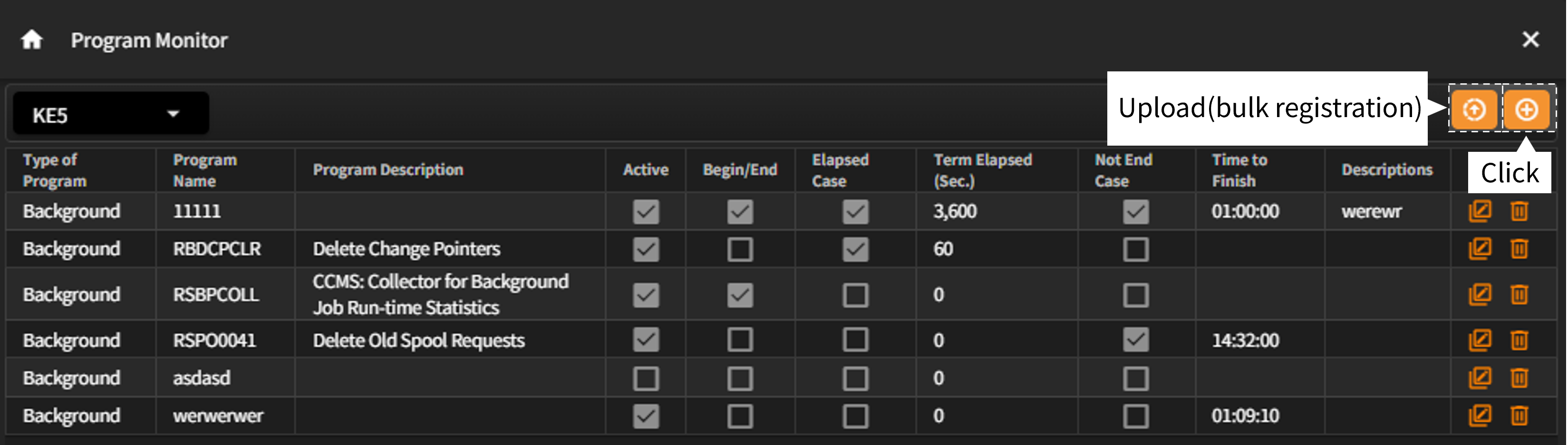
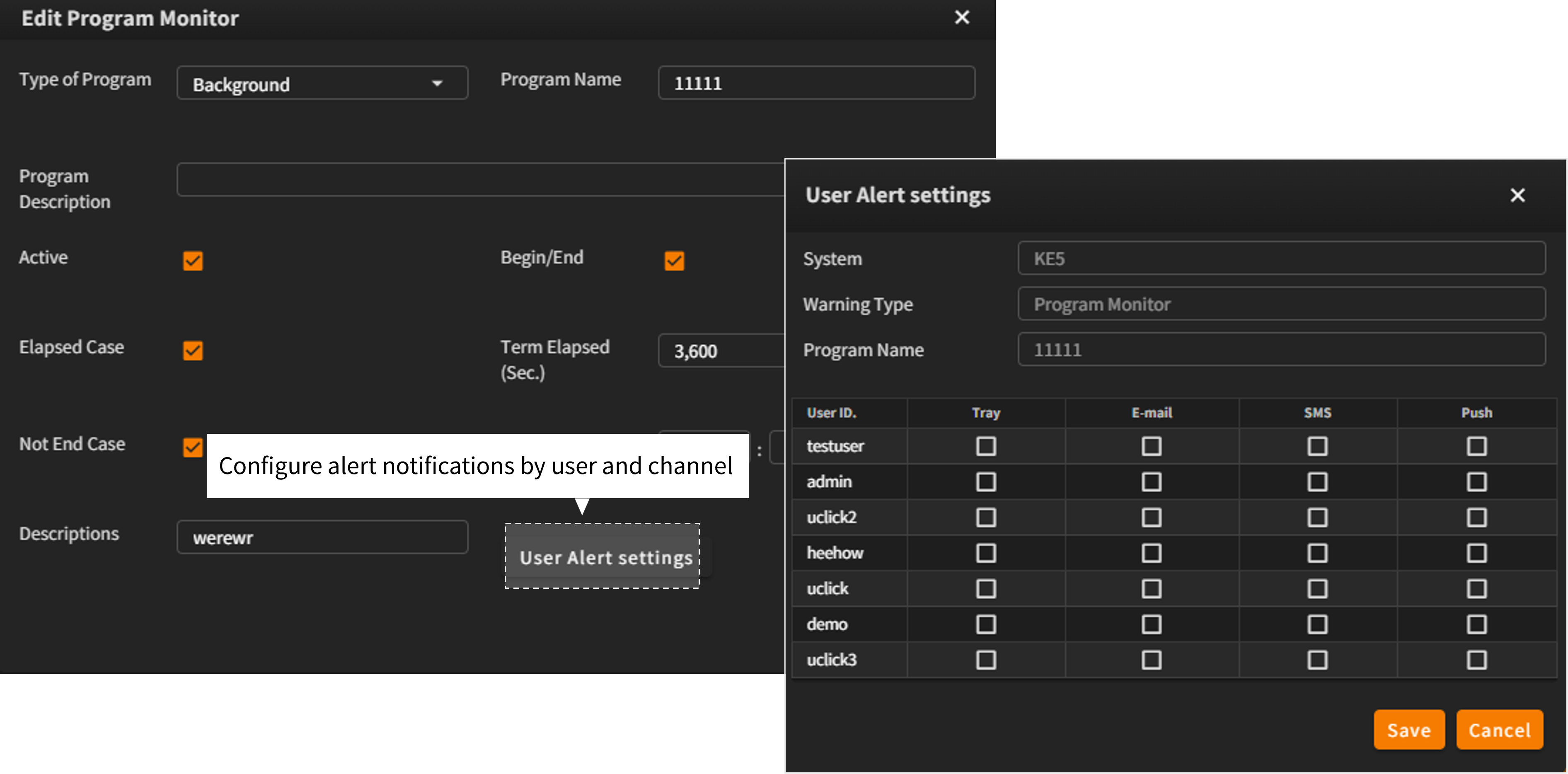
- As shown in the screen below, you can configure alert conditions based on various job states such as:
Job start and end events, Execution time thresholds, Or whether the job completes before a specific time. - Click the “User Alert Settings” button to configure notification preferences per user and per notification channel (e.g., in-app screen, email, SMS, push notification, etc.).
- Automate the monitoring of critical and recurring batch jobs.
- Easily register large numbers of jobs using the bulk upload feature for fast setup.