Use Cases
Batch JobI want to set up notifications so that the responsible person can promptly identify and respond when a batch job is abnormally terminated (‘Canceled’).
OWLens offers batch job management capabilities that enable responsible users to respond rapidly through real-time monitoring of SAP batch job execution and issuance of alerts for critical events, such as abnormal job termination (‘Canceled’).
The Batch Job screen allows you to monitor the following:
‐ A list of batch jobs executed or scheduled during the period of interest, including their statuses (‘Released’, ‘Ready’, ‘Active’, ‘Finished’, and ‘Canceled’)
‐ Step-by-step execution results for successfully completed (‘Finished’) batch jobs
‐ Detailed logs for batch jobs that were terminated abnormally (‘Canceled’)
‐ A chart displaying batch job execution statuses over the past 24 hours
Notifications triggered by batch job execution conditions can be configured to be automatically delivered to responsible personnel through various channels, including email, SMS, push notifications, and SNS.
Additionally, all batch job execution histories are retained and made available for download in Excel format to support various business tasks.
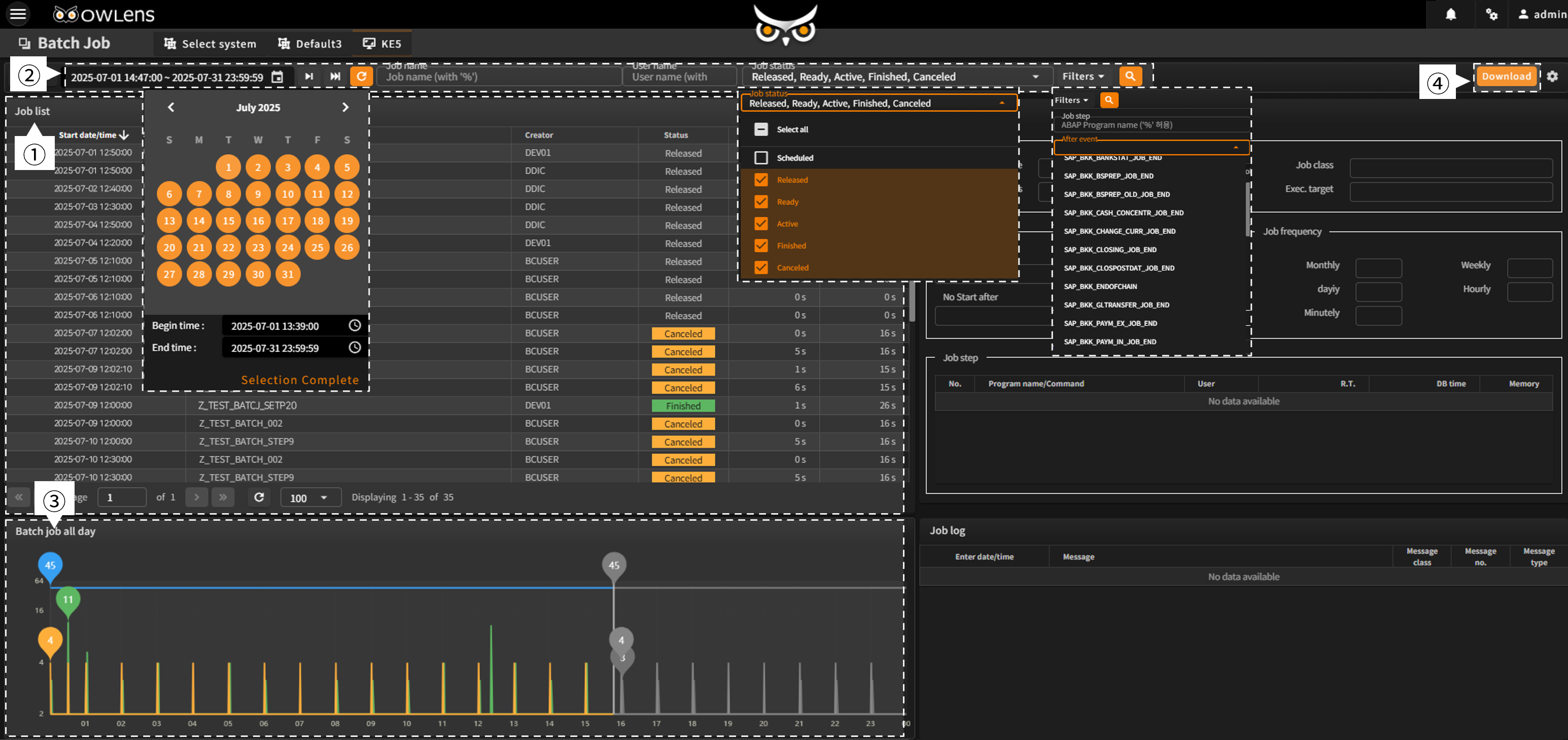
- By default, the screen displays the batch job execution history for the past hour, based on the current time, along with a list of batch jobs scheduled to run later the same day.
- Batch jobs can be searched by applying various filters, such as period, job name, user, job status, and after-event.
- A 24-hour batch job execution chart is available, allowing users to quickly grasp the overall status at a glance.
- Users can click the “Download” button to download batch job execution details as an Excel file for business use.
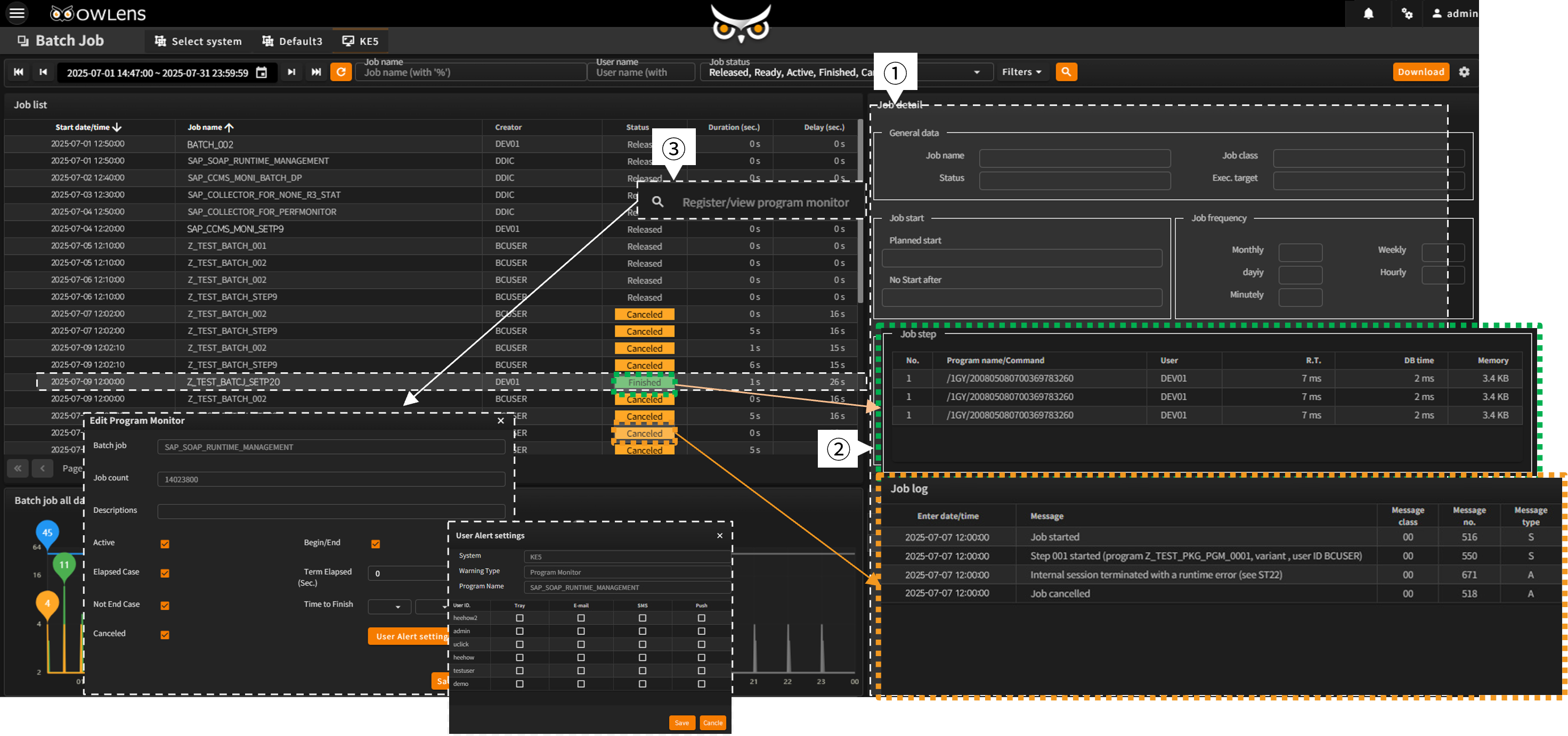
- Users can select a batch job from the “Batch Job List” to view its specific details in the “Batch Job Details” pane on the right.
- Execution details for successfully completed (‘Finished’) jobs are shown in the “Batch Job Steps” tab, while details for abnormally terminated (‘Canceled’) jobs are available in the “Batch Job Logs” tab.
- For scheduled (‘Released’) jobs, right-clicking opens the “Register/View Program Monitor” context menu, where users can configure alerts and select specific users and delivery channels.
- Offers real-time visibility into the overall batch job execution status across the system.
- Enhances the quality of batch job operations and management through a variety of alerting capabilities.
- Supports automatic retention of batch job execution history and increased management efficiency.