Use Cases
ABAP Dump & Log DashboardI want to automate real-time monitoring of ABAP Dumps and receive instant notifications when they occur.
ABAP Dumps typically occur when an ABAP program terminates abnormally during background execution. While they often indicate that a problem has occurred, they also provide valuable insights that can help improve system stability and performance.
OWLens offers a feature that enables real-time monitoring and detailed analysis of ABAP Dumps.
This feature is accessible via:
Main Menu → Real-Time Dashboard → ABAP Details → Dump & Log
On this screen, you can monitor:
Real-time ABAP Dump occurrences, As well as System Logs and Application Logs, all in a single, consolidated view with detailed information.
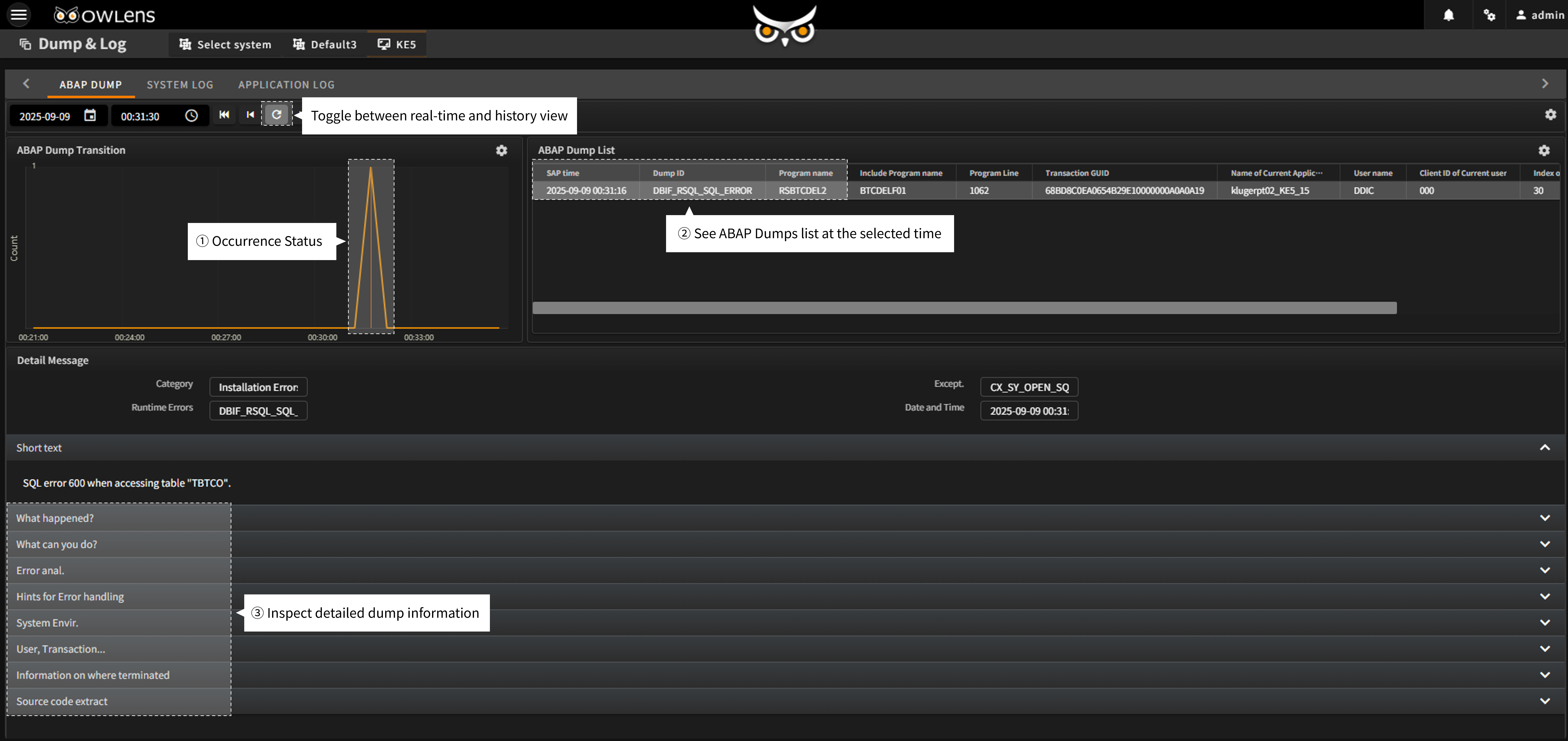
- The ABAP Dump & Log Dashboard provides charts that display both real-time occurrences and historical trends of ABAP Dumps.
- You can toggle between real-time view and history view as needed.
- When you click a point on the chart, the system displays a list of ABAP Dumps that occurred at that specific time, along with their detailed information in sequential order.
- The Dump & Log Detail View not only supports real-time monitoring of ABAP Dumps, but also includes System Logs and Application Logs, with detailed insights across all categories.
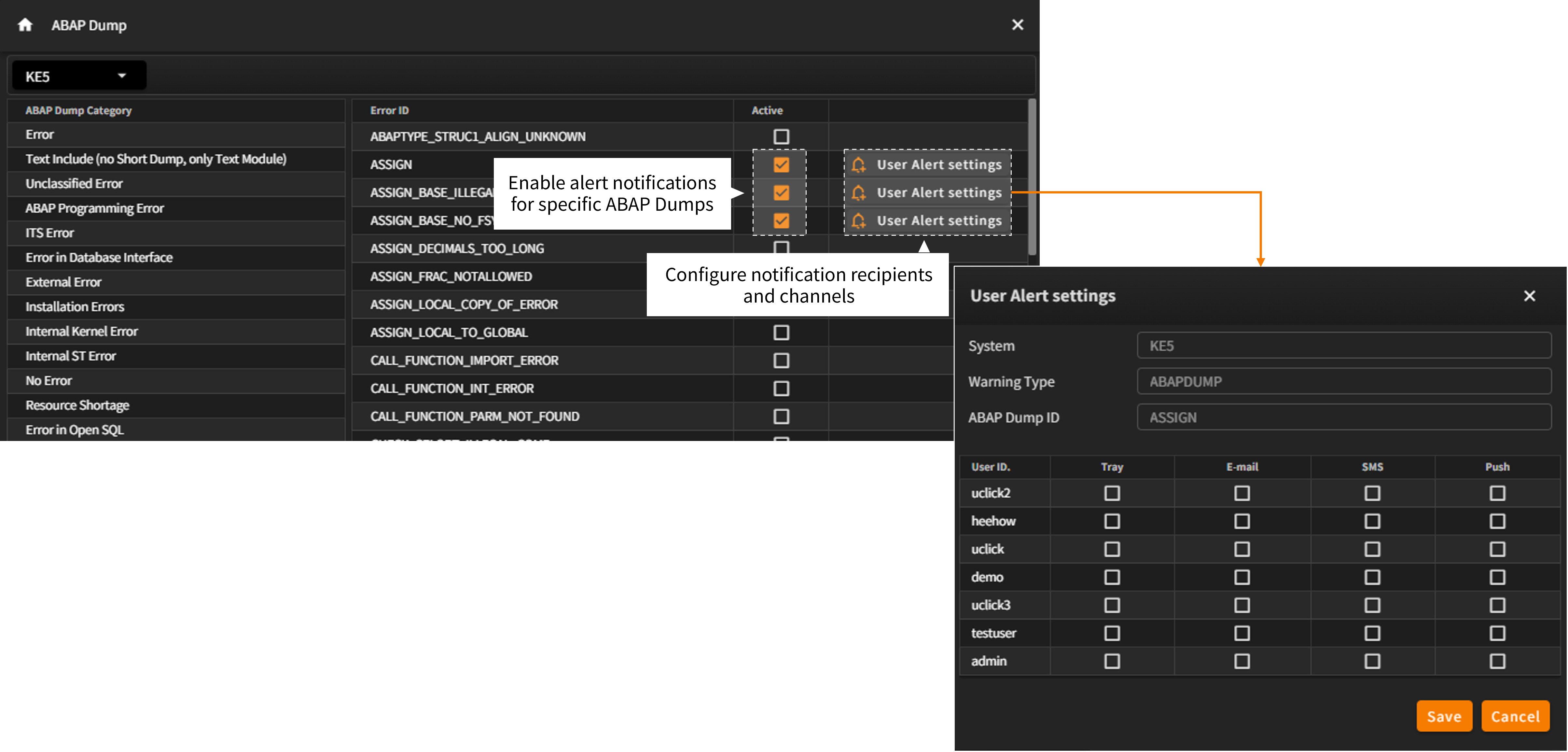
- In addition to the dashboard, the Alert Settings for ABAP Dump screen (accessible via Settings Menu → Alert → ABAP Dump) allows you to:
Categorize all ABAP Dumps, Monitor specific dump types, Enable alert notifications for selected dumps. - You can configure per-user and per-channel alert settings (e.g., screen, email, SMS, push notification) so that specific users are automatically notified when a particular ABAP Dump occurs.
- Gain complete visibility of ABAP Dumps, System Logs, and Application Logs in one unified dashboard.
- Respond proactively to system issues with real-time alerts and targeted notifications.